Testing Your Python API Code

How Professional Developers Test Code That Depends on External APIs

Your API code worked yesterday because the API behaved yesterday. But APIs go down, change their response format, start rate-limiting, or return incomplete data without warning. If you do not have tests, your users are the ones who discover those failures first.

"I used to spend 4 hours a day clicking through my own app like a lost tourist."
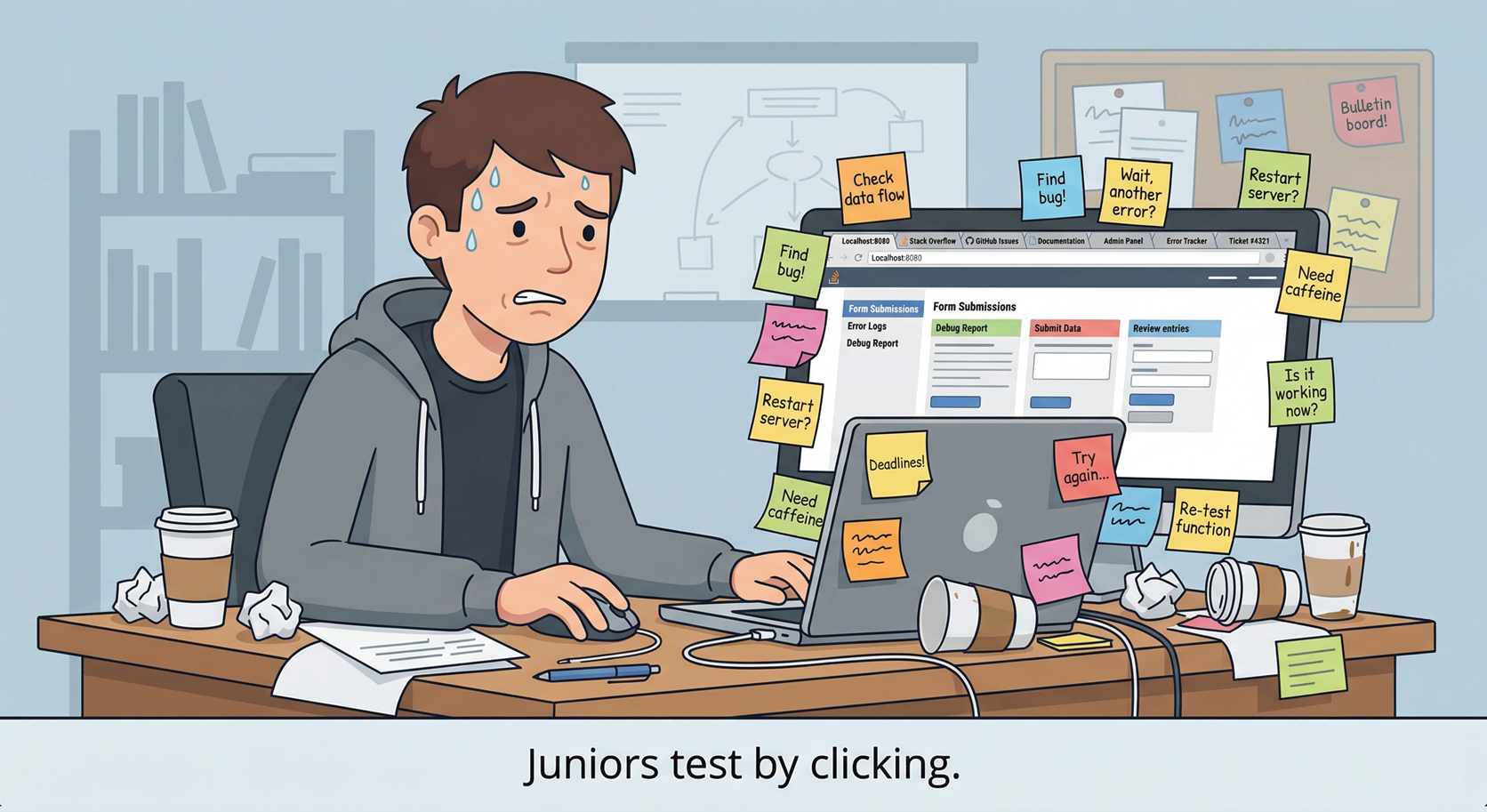
A stressed developer surrounded by sticky notes, manually clicking through a web app to test it. Caption: Juniors test by clicking.

This guide shows you how to test Python code that talks to external APIs without making real network requests. You will learn how to verify three things: that your code sends the right request, handles a good response correctly, and fails safely when the API misbehaves.

What This Chapter Is Really About

When you test API code, you are not testing whether the external API works. You are testing your code's contract with the outside world. Did it send the request you intended? Did it understand the response you got back? Did it stay calm when reality got messy?

1. Why API Code Breaks Differently

A pure function is easy to test. You give it inputs, check the output, and move on. API code is different because part of the behavior lives outside your program. The function may be correct and still fail because a server is slow, unavailable, or returning data you did not expect.

That means the real job of testing API code is not proving that the network is reliable. It is proving that your code behaves correctly when the network is unreliable.

  • The API may time out. Your code waits too long and eventually gets an exception.
  • The API may return a server error. Your request was valid, but their system is broken.
  • The API may rate-limit you. Too many requests and the service starts refusing more.
  • The API may return unexpected JSON. The status code says success, but the data shape has changed or fields are missing.
The Core Shift

You cannot control the API. You can only control how your code responds to whatever the API does. Testing is how you verify that response before your users do it for you.

What Does a Test Look Like?
The simplest possible test
Python
def add(a, b):
    return a + b

def test_add():
    result = add(2, 3)
    assert result == 5  # If this is True, the test passes

A test is a function whose name starts with test_. You call the code you want to check, then use assert to verify the result is what you expected. If the assertion is true, pytest marks the test as passed and moves on.

If the assertion is false, pytest stops and shows you exactly what went wrong, what value you expected versus what you actually got. That is the entire mechanism. Everything else in this guide builds on it.

2. The Three Tests That Protect API Code

You do not need a giant testing theory lecture to protect API code. Most of the value comes from three practical test types.

1.

Did you send the right request?

Correct URL, correct query parameters, correct headers, correct timeout. If any of those are wrong, the API may reject the request or return confusing results.

2.

Did you handle the response correctly?

Can your code extract the fields you need from the JSON and return a clean result to the rest of your application?

3.

Did you survive when things went wrong?

Timeouts, 429s, 500s, missing fields, malformed JSON. Professional code handles these gracefully instead of crashing or leaking raw exceptions into the user experience.

The Plan for the Rest of This Chapter

We are going to walk through all three using one small weather client. That keeps the teaching concrete. You will see the code, then the tests, then the reasoning behind each one.

3. The API Client We Are Testing

Here is the small API client we will use throughout this chapter. It fetches weather data, validates inputs, handles common API failures, and returns structured dictionaries.

weather_client.py
Python
import requests

BASE_URL = "https://api.openweathermap.org/data/2.5/weather"


def get_weather(city: str, api_key: str) -> dict:
    """
    Fetch current weather for a given city.

    Returns a dict with 'city', 'temperature', and 'description' on success.
    Returns a dict with an 'error' key on failure.
    """
    if not city or not city.strip():
        return {"error": "City name cannot be empty"}

    if not api_key or not api_key.strip():
        return {"error": "API key cannot be empty"}

    params = {
        "q": city,
        "appid": api_key,
        "units": "metric",
    }

    try:
        response = requests.get(BASE_URL, params=params, timeout=10)

        if response.status_code == 429:
            return {"error": "Rate limit exceeded. Please wait before retrying."}

        if response.status_code == 401:
            return {"error": "Invalid API key."}

        if response.status_code == 404:
            return {"error": f"City '{city}' not found."}

        if response.status_code >= 500:
            return {"error": "Weather service is currently unavailable."}

        response.raise_for_status()
        data = response.json()

        return {
            "city": data["name"],
            "temperature": data["main"]["temp"],
            "description": data["weather"][0]["description"],
        }

    except requests.Timeout:
        return {"error": "Request timed out. The weather service took too long to respond."}

    except requests.ConnectionError:
        return {"error": "Could not connect to the weather service. Check your internet connection."}

    except (KeyError, ValueError, IndexError, TypeError):
        return {"error": "Received unexpected data from the weather service."}

Notice the order. The function validates inputs first, makes the request second, then deals with bad status codes and parsing problems. For this teaching example, every failure path returns a structured error dictionary rather than raising an exception to the caller.

Why Return Error Dictionaries Here?

This makes the tests easy to read because every outcome is a plain dictionary you can inspect directly. In larger applications, teams sometimes raise custom exceptions instead. The important lesson is not the exact error strategy. The important lesson is that the failure paths are deliberate and testable.

4. Why We Mock API Calls

Testing against the real API sounds sensible until you try to build a reliable test suite. Real API tests are slow, depend on an internet connection, consume API credits, and fail for reasons that have nothing to do with your code. Worst of all, you cannot force the live service to return exactly the failure you want to test.

Mocking solves that. A mock intercepts the outgoing HTTP request before it leaves your machine and returns a fake response that you control completely. Your code still calls requests.get(). It still receives a response object. The only difference is that the response is coming from your test instead of the internet.

Terminal
pip install pytest responses

The responses library is a simple way to mock HTTP in Python. Here is the smallest useful example:

A minimal mocked HTTP test
Python
import requests
import responses

@responses.activate
def test_mocked_http_call():
    responses.add(
        responses.GET,
        "https://api.example.com/data",
        json={"result": "fake data"},
        status=200,
    )

    response = requests.get("https://api.example.com/data")

    assert response.status_code == 200
    assert response.json()["result"] == "fake data"
What Just Happened
  • @responses.activate intercepts all outgoing HTTP requests for this test. Nothing reaches the real network.
  • responses.add() registers a fake response. When your code calls that URL, return this JSON with status 200.
  • assert verifies that your code handled the response correctly. If the assertion is false, the test fails and pytest tells you exactly why.
  • The requests.get() call looks completely normal. Your code does not know it is talking to a mock. That is the point.

That pattern powers everything else in this chapter. Register a fake response, run your code, assert the result.

5. The Shared Test Data

Before we write the tests, we define a little shared data at the top of the test file. This keeps the examples tidy and makes later changes easier.

test_weather_client.py setup
Python
import requests
import responses

from weather_client import get_weather

API_KEY = "test_api_key_123"
CITY = "Dublin"
API_URL = "https://api.openweathermap.org/data/2.5/weather"

VALID_RESPONSE = {
    "name": "Dublin",
    "main": {"temp": 12.5},
    "weather": [
        {"description": "light rain"}
    ]
}

The API key is obviously fake. That is intentional. Because the HTTP call is mocked, the key never reaches a real server.

6. Test 1: Did You Send the Right Request?

The first thing to test is often the thing people skip. Before you worry about parsing the response, make sure your code sent the request you meant to send.

In this client, that means checking the endpoint, the query parameters, and the timeout.

Testing the outgoing request
Python
@responses.activate
def test_sends_expected_query_parameters():
    responses.add(
        responses.GET,
        API_URL,
        json=VALID_RESPONSE,
        status=200,
    )

    get_weather(CITY, API_KEY)

    sent_request = responses.calls[0].request
    request_url = sent_request.url

    assert "q=Dublin" in request_url
    assert "appid=test_api_key_123" in request_url
    assert "units=metric" in request_url
Python
@responses.activate
def test_calls_the_correct_endpoint_once():
    responses.add(
        responses.GET,
        API_URL,
        json=VALID_RESPONSE,
        status=200,
    )

    get_weather(CITY, API_KEY)

    assert len(responses.calls) == 1
    assert responses.calls[0].request.url.startswith(API_URL)
Why This Matters

API bugs are often request bugs. A misspelled parameter name, a missing key, or the wrong endpoint can produce errors that look like the provider is broken when the real problem is your request. These tests catch that early.

7. Test 2: Did You Handle the Good Response Correctly?

Now we test the happy path. When the API behaves and returns the shape we expect, does our function extract the right fields and return clean data?

A complete happy-path test
Python
@responses.activate
def test_successful_response_returns_clean_weather_data():
    responses.add(
        responses.GET,
        API_URL,
        json=VALID_RESPONSE,
        status=200,
    )

    result = get_weather(CITY, API_KEY)

    assert result == {
        "city": "Dublin",
        "temperature": 12.5,
        "description": "light rain",
    }

That single test proves the whole success path works. For larger suites, teams often split this into smaller tests so failures are easier to diagnose.

The same idea split into narrower tests
Python
class TestHappyPath:
    @responses.activate
    def test_returns_city_name(self):
        responses.add(responses.GET, API_URL, json=VALID_RESPONSE, status=200)
        result = get_weather(CITY, API_KEY)
        assert result["city"] == "Dublin"

    @responses.activate
    def test_returns_temperature(self):
        responses.add(responses.GET, API_URL, json=VALID_RESPONSE, status=200)
        result = get_weather(CITY, API_KEY)
        assert result["temperature"] == 12.5

    @responses.activate
    def test_returns_description(self):
        responses.add(responses.GET, API_URL, json=VALID_RESPONSE, status=200)
        result = get_weather(CITY, API_KEY)
        assert result["description"] == "light rain"

    @responses.activate
    def test_does_not_return_error_on_success(self):
        responses.add(responses.GET, API_URL, json=VALID_RESPONSE, status=200)
        result = get_weather(CITY, API_KEY)
        assert "error" not in result
One Broad Test or Several Narrow Ones?

For teaching, one broad happy-path test is easier to understand at first. In production, many teams prefer smaller tests because they point to a specific failure more quickly. Both styles are valid as long as the intent is clear.

8. Test 3: Did You Survive When Things Went Wrong?

This is where API testing becomes genuinely valuable. The happy path proves your code works when the world behaves. Failure tests prove your code still behaves when the world does not.

Testing failure scenarios
Python
class TestFailureScenarios:
    @responses.activate
    def test_rate_limited_429(self):
        responses.add(
            responses.GET,
            API_URL,
            json={"message": "Too Many Requests"},
            status=429,
        )
        result = get_weather(CITY, API_KEY)
        assert "error" in result
        assert "rate limit" in result["error"].lower()

    @responses.activate
    def test_server_error_500(self):
        responses.add(
            responses.GET,
            API_URL,
            json={"message": "Server Error"},
            status=500,
        )
        result = get_weather(CITY, API_KEY)
        assert result == {"error": "Weather service is currently unavailable."}

    @responses.activate
    def test_timeout(self):
        responses.add(
            responses.GET,
            API_URL,
            body=requests.Timeout(),
        )
        result = get_weather(CITY, API_KEY)
        assert "error" in result
        assert "timed out" in result["error"].lower()

    @responses.activate
    def test_connection_error(self):
        responses.add(
            responses.GET,
            API_URL,
            body=requests.ConnectionError(),
        )
        result = get_weather(CITY, API_KEY)
        assert "error" in result
        assert "could not connect" in result["error"].lower()

    @responses.activate
    def test_missing_expected_fields(self):
        responses.add(
            responses.GET,
            API_URL,
            json={"name": "Dublin"},
            status=200,
        )
        result = get_weather(CITY, API_KEY)
        assert result == {"error": "Received unexpected data from the weather service."}

    @responses.activate
    def test_invalid_json_body(self):
        responses.add(
            responses.GET,
            API_URL,
            body="this is not valid json",
            status=200,
        )
        result = get_weather(CITY, API_KEY)
        assert result == {"error": "Received unexpected data from the weather service."}
The Test Most Developers Forget

The missing-fields test is the one people skip most often. The API returned 200. The JSON parsed successfully. But the fields your code expected were not there. That is exactly the kind of quiet breakage that hits production systems when providers change response formats.

These tests are doing something powerful. They are forcing your code through failures that may be rare in production but are guaranteed to happen eventually.

Going Further: Schema Validation with Pydantic

The tests above check that expected fields exist. For stricter guarantees, pydantic lets you define the exact shape and data types you expect from an API response. If the structure does not match your definition, it fails loudly before your code touches the data. It is a natural next step once your basic failure tests are in place.

9. Credentials in Tests

Never hardcode real credentials in your test suite. Use obvious fake values like test_api_key_123. When the HTTP layer is mocked, the key never leaves your machine.

In production code, load real credentials from environment variables instead:

Python
import os

api_key = os.getenv("OPENWEATHER_API_KEY")
Simple Rule

Test with fake keys. Run real applications with real keys from the environment. Those two concerns should stay separate.

10. What Good API Tests Actually Prove

At this point, you have seen the full testing loop:

  • Request tests prove your code asked for the right thing.
  • Response tests prove your code understood the good data correctly.
  • Failure tests prove your code stays stable when the API does something ugly.

That is what professional API testing looks like. Not hitting the live service over and over and hoping it behaves. Not checking only the happy path. Not waiting for users to report the breakage. Professional testing means simulating reality on purpose.

The Habit to Keep

Every time you write code that depends on an external API, ask the same three questions: Did I send the right request? Did I handle the response correctly? Did I survive failure? If your tests answer yes to all three, your code is in much better shape than most beginner projects on the internet.

11. Checkpoint Quiz

Test your understanding with these questions. If you can answer confidently, you have mastered the material:

Select question to reveal the answer:
Why should you never test API code by hitting the real API?

Real API tests are slow, require an internet connection, consume API credits, and fail for reasons that have nothing to do with your code. More critically, you cannot force the live service to return specific failures on demand. You cannot ask a real API to return a 429, a timeout, or malformed JSON whenever you want. Mocking gives you complete control over what the API returns, making your tests fast, free, deterministic, and able to cover every failure scenario.

What does @responses.activate do?

It tells the responses library to intercept all HTTP requests made during that test function. Any request that is not registered with responses.add() will raise a ConnectionError instead of going to the network. This ensures your tests never accidentally hit a real server, even if you forget to mock a particular URL.

What is the difference between a 200 response and a successful test?

A 200 status code only means the server responded without an error. It does not mean your code handled the response correctly. The API could return a 200 with completely wrong fields, missing data, or a changed structure. That is why the missing-fields test matters so much: it catches the case where your code gets a 200 and still breaks because the data shape was not what you expected.

Why do we use an obviously fake API key like test_api_key_123 in tests?

Because the HTTP layer is mocked, the key never reaches a real server, so its value does not matter for test correctness. Using an obviously fake value serves two purposes: it makes clear to anyone reading the code that this is a test credential, not a real one that has been accidentally committed. It also prevents the accidental pattern of copying a real key into your test file and committing it to version control.

What does responses.calls let you do that you cannot do with a simple assertion on the return value?

responses.calls gives you access to the actual HTTP requests that were made during the test. This lets you verify the outgoing request itself, not just the return value of your function. You can check that the correct URL was called, that the right query parameters were included, and that the request was only made once. This catches a whole category of bugs where your function returns the right result but sent the wrong request to get it.

What is the purpose of defining VALID_RESPONSE as a constant at the top of the test file?

It means the fake API response is defined in one place and reused across all tests that need a successful response. If the structure of the API response changes, you update one dictionary instead of hunting through every individual test. It also makes each test function shorter and easier to read, since the reader does not have to parse an inline JSON blob to understand what the test is doing.

This guide showed you how to test Python code that depends on external APIs without ever touching the real network. That is one of the core habits that separates scripts that merely work from code that is safe to ship.

In the full book, we build these same habits into larger projects with retries, validation layers, authentication flows, persistent storage, and production deployment. If you want to go beyond one client and learn how to build complete API-driven applications that survive real-world conditions, that is exactly what the rest of the book is for.

Mastering APIs with Python

30 chapters taking you from your first API call to production AWS deployment. Six portfolio projects covering OAuth, databases, Flask, Docker, and cloud infrastructure. Everything in this guide connects to patterns covered in the full book.

Chapter 3 is free — no signup required.