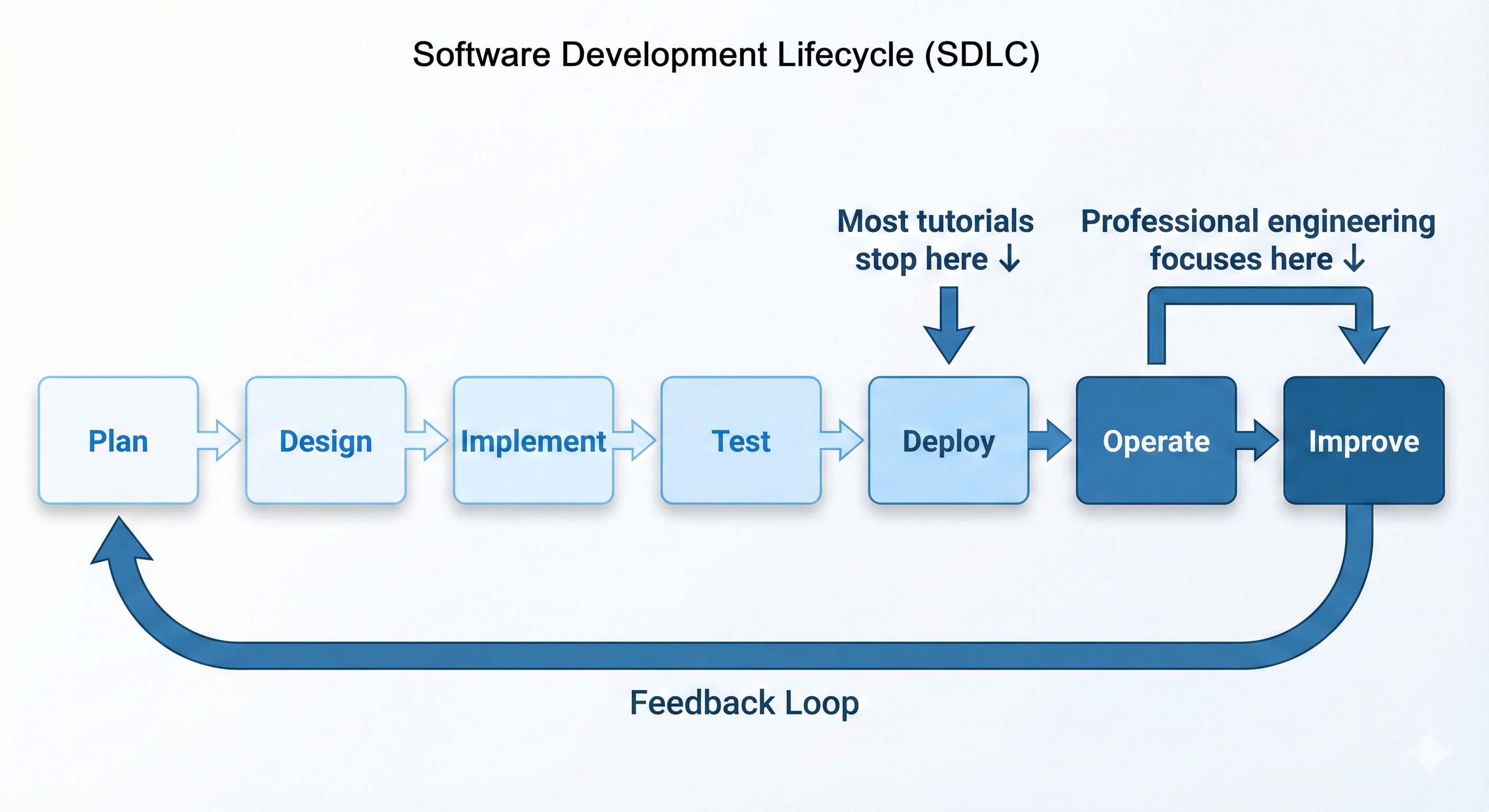
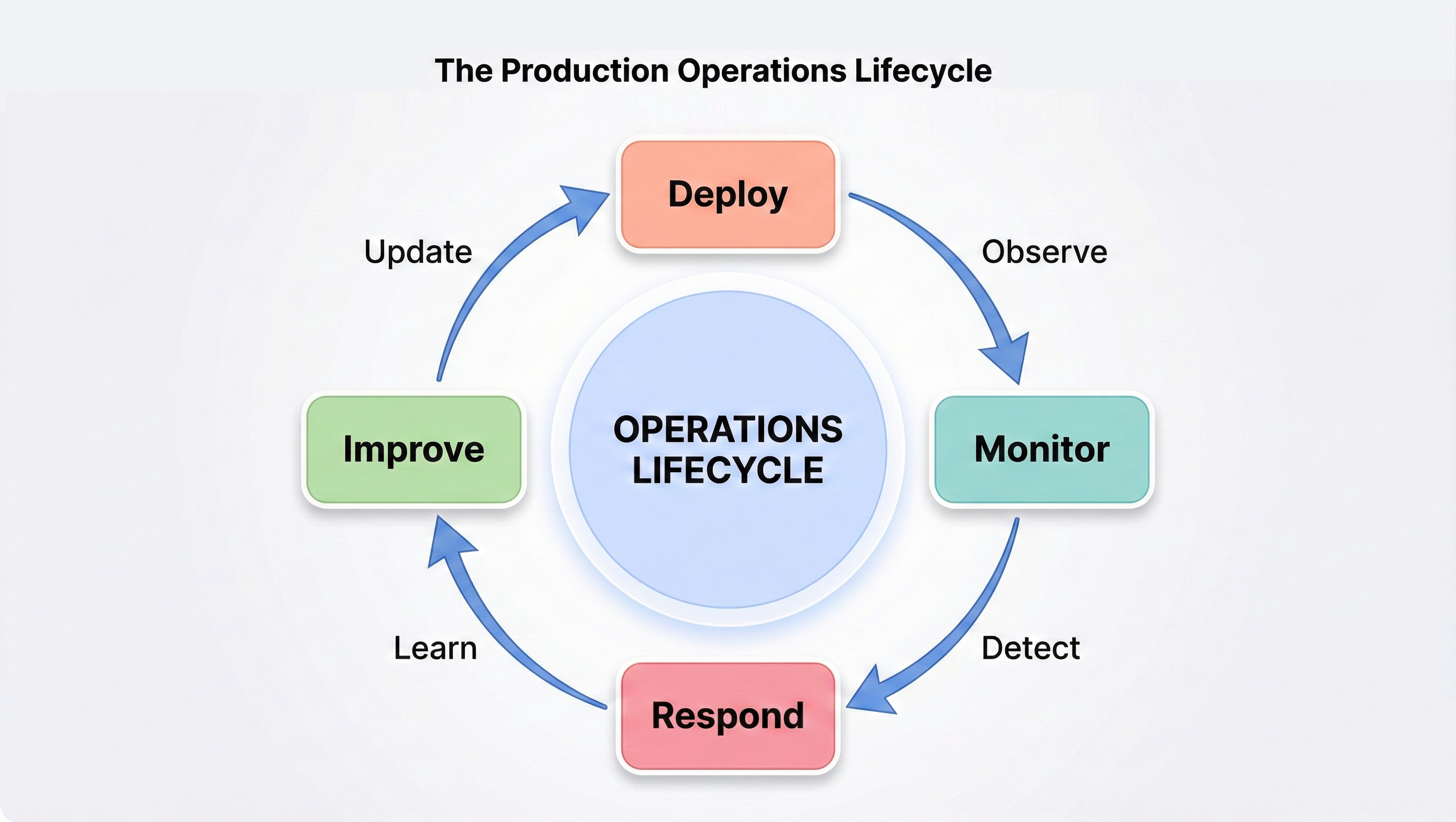
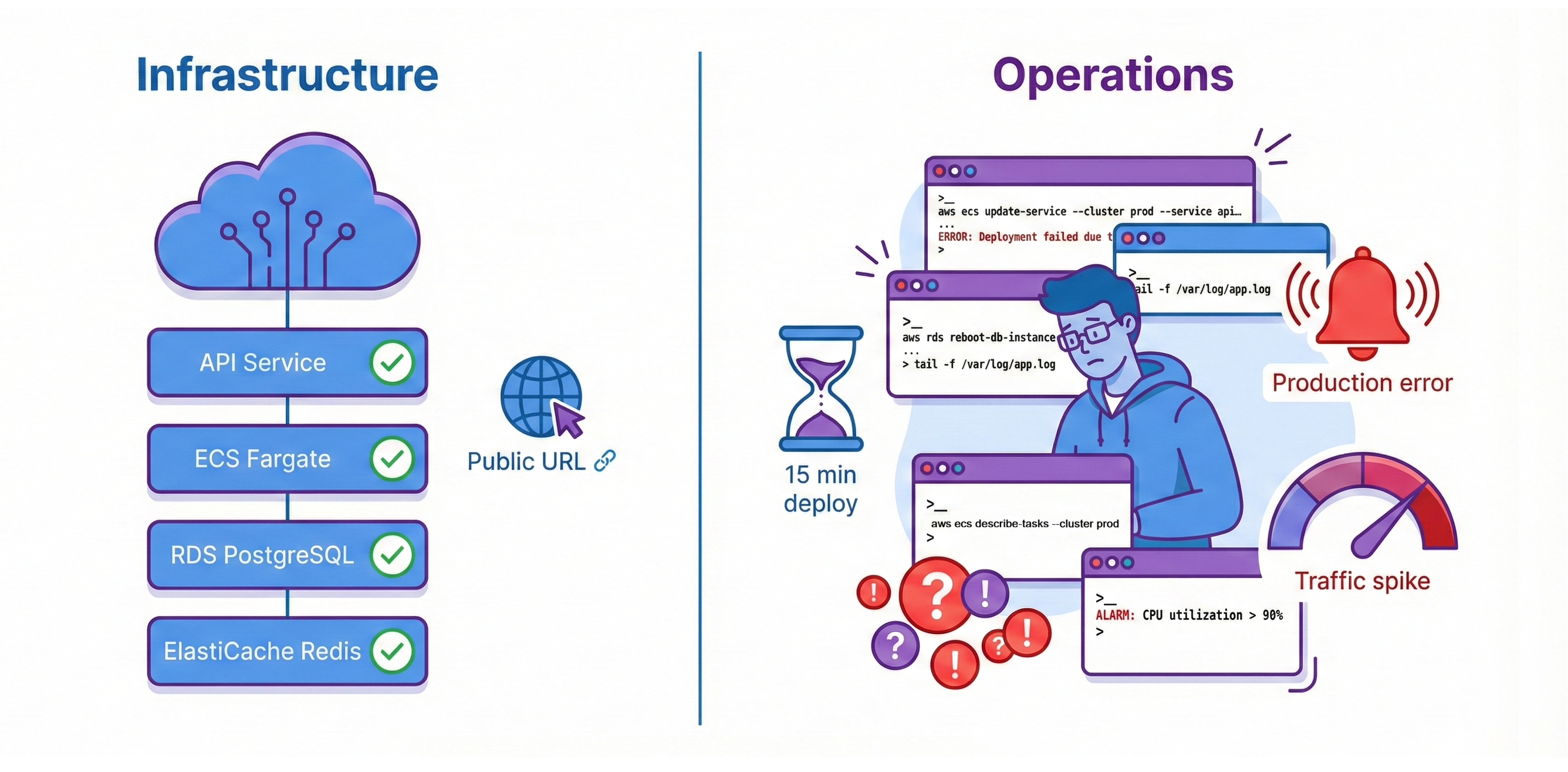
Your News Aggregator API is deployed on AWS. It serves requests at a public URL. RDS PostgreSQL and ElastiCache Redis provide managed persistence. ECS Fargate runs your containers. The infrastructure works perfectly. But every code change requires 15 minutes of manual AWS CLI commands. Without monitoring, the only alerting system you have is your users, and they’re always the last to know. Traffic spikes overwhelm your fixed two-container capacity. You have deployment, but you don't have operations.
Deployment is necessary but not sufficient. Getting code running in production is the first milestone. Operating that code reliably at scale is the second. Professional engineers own the complete lifecycle: write code, test it, deploy it, monitor it, debug it when it breaks, optimize costs, and improve it continuously. This end-to-end ownership is what "DevOps culture" means—and it's what this chapter teaches.
Chapter 28 built your AWS infrastructure. Chapter 29 makes it operational. You'll add CI/CD automation so git push deploys automatically after tests pass. You'll implement CloudWatch monitoring with dashboards tracking latency, traffic, errors, and resource saturation. You'll configure auto-scaling policies that grow your infrastructure from 2 containers to 10 containers under load, then scale back down when traffic subsides. You'll analyze AWS costs service-by-service and optimize your monthly bill. You'll implement blue-green deployment strategies for zero-downtime updates with instant rollback capability.
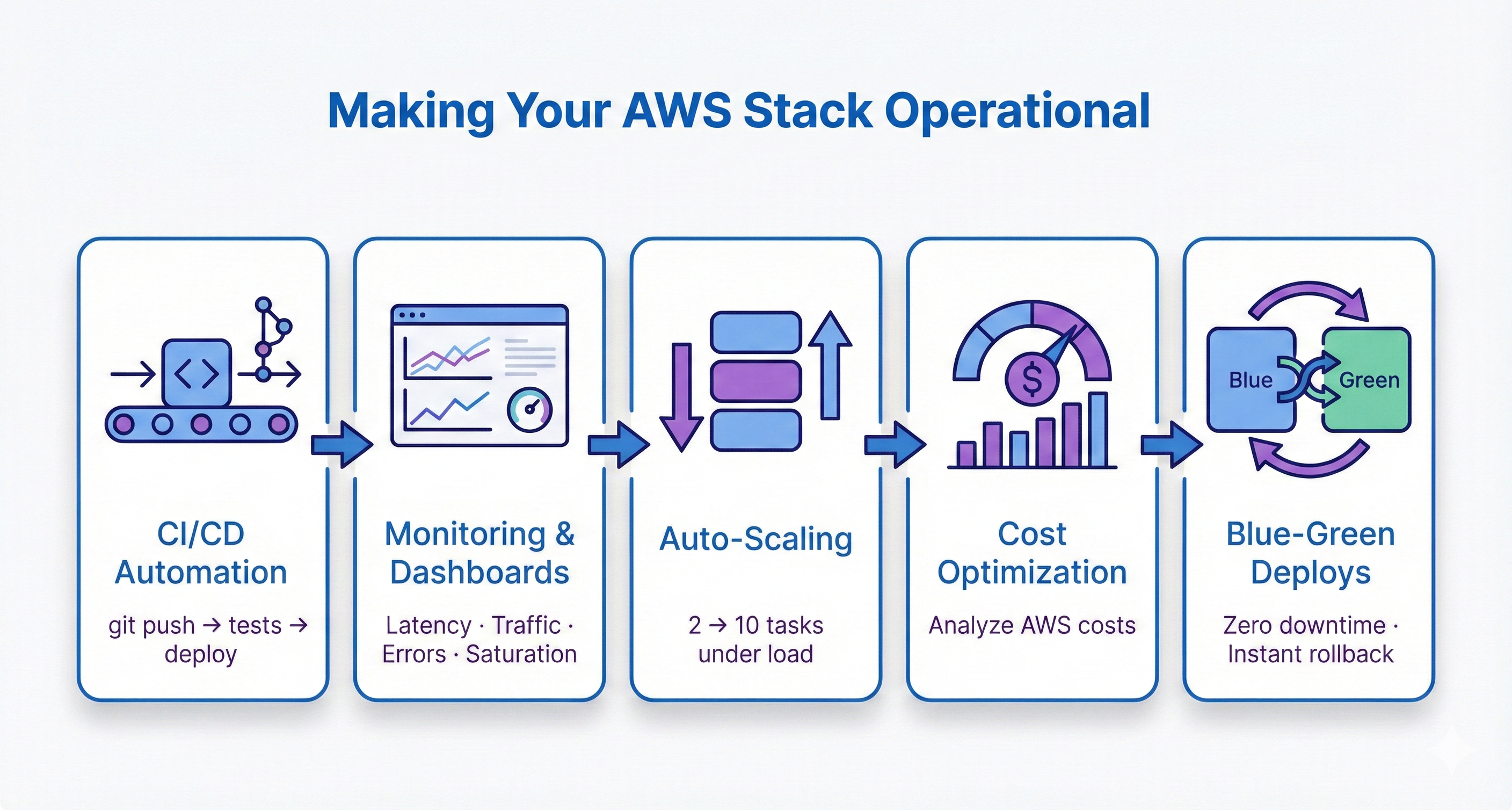
By the end, you'll operate production infrastructure professionally. When recruiters ask "How do you deploy code?", you'll explain your GitHub Actions CI/CD pipeline with quality gates. When they ask "How do you monitor production?", you'll discuss CloudWatch dashboards with Golden Signals. When they ask "How does your system scale?", you'll describe auto-scaling policies responding to CPU metrics in 60-90 seconds. This operational expertise separates developers who can deploy from engineers who can operate systems at scale. That's the career transformation this chapter enables.
Chapter Roadmap
This chapter transforms your Chapter 28 AWS deployment into a professionally operated production system. You'll progress from understanding operations principles through hands-on automation, monitoring, scaling, and incident response.
Production Operations Foundations
Understand the gap between deployment and operations. Learn the Software Development Lifecycle (SDLC), the production operations lifecycle, and the key metrics that define system health. Explore the "operations as code" philosophy that underpins everything that follows.
CI/CD Pipeline with GitHub Actions
Build a complete CI/CD pipeline so that every git push triggers automated tests, Docker image builds, and ECS deployments. Configure secure AWS credential management with OIDC and implement quality gates that prevent broken code from reaching production.
CloudWatch Monitoring and Observability
Implement the Golden Signals framework—latency, traffic, errors, and saturation—using CloudWatch dashboards, alarms, and Logs Insights queries. Move from flying blind to full production visibility with automated alerting before users notice problems.
Auto-Scaling and Cost Optimization
Configure ECS auto-scaling policies that grow your infrastructure from 2 to 10 containers under load and shrink back when traffic subsides. Analyze AWS costs service-by-service and implement optimization strategies that reduce your monthly bill without sacrificing reliability.
Deployment Patterns, Incident Response, and Security
Learn blue-green and canary deployment strategies for zero-downtime releases. Build incident response runbooks with severity classification and systematic debugging workflows. Harden your stack with container security, secrets rotation, and network security auditing.
Before You Begin: What You Should Already Have
In Chapter 28 you deployed your News API to AWS using ECS Fargate, RDS PostgreSQL, ElastiCache Redis, and an Application Load Balancer. That chapter gave you working production infrastructure. This chapter assumes that infrastructure is already in place and healthy.
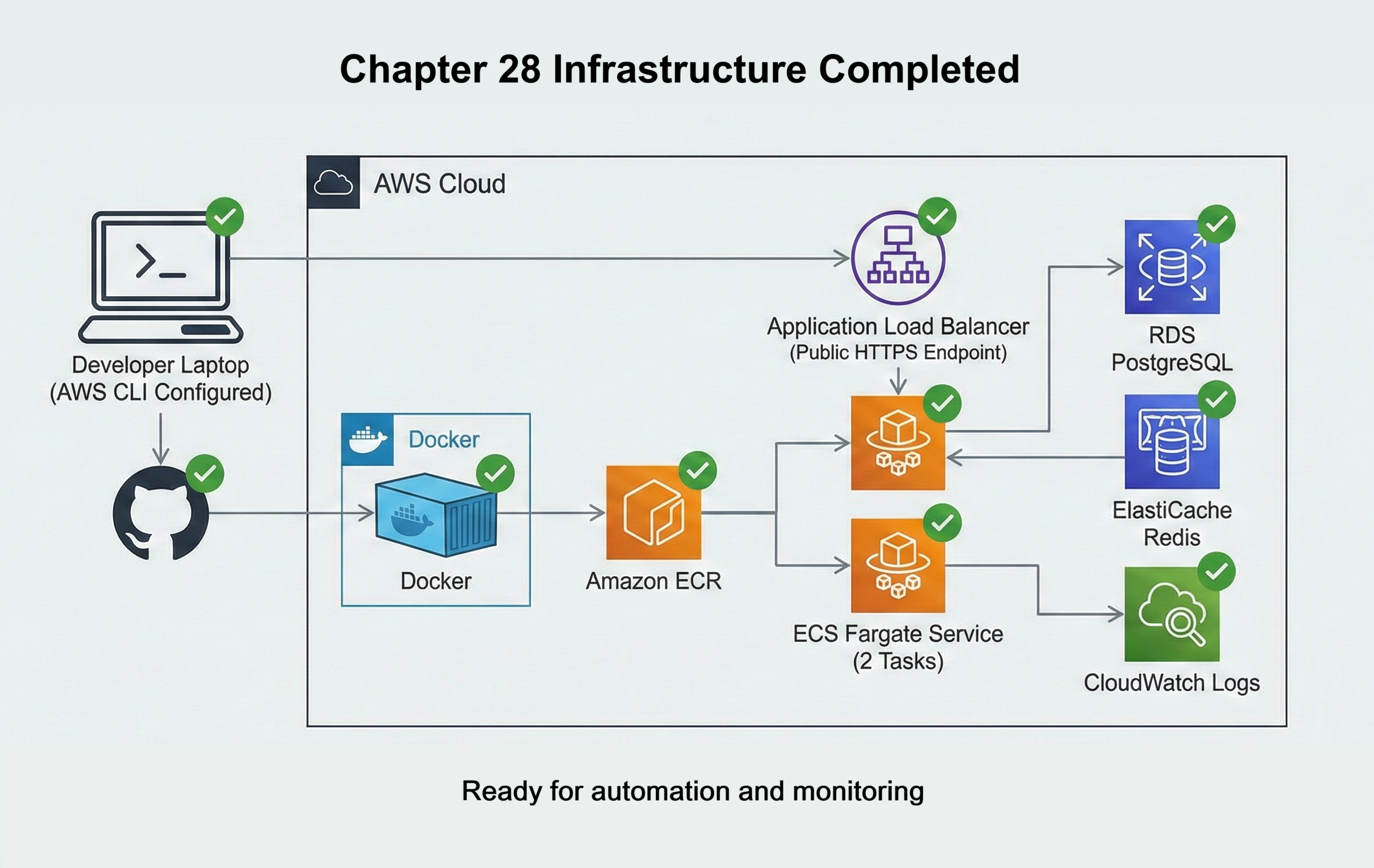
Before you continue, make sure you have:
- Running ECS service: An ECS Fargate service that is running at least two tasks for your News API, with a working task definition and task execution role.
- Public HTTPS endpoint: An Application Load Balancer that forwards HTTPS traffic to your ECS service, so your API is reachable at a public URL.
- Managed data services: RDS PostgreSQL and ElastiCache Redis instances that your containers can reach and use successfully for storage and caching.
- Container registry in ECR: A working ECR repository that stores your News API Docker images, and a process from Chapter 28 that can push images to it.
- CloudWatch logging turned on: ECS tasks that send application logs to CloudWatch Logs so you can already see log streams for your running containers.
- GitHub repository: Your News API code hosted on GitHub, using the same Dockerfile and configuration you used for the initial deployment.
- AWS access from your laptop: AWS CLI configured with credentials that can interact with your account, created in Chapter 28 when you set up IAM.
If any of these pieces are missing or not working yet, pause here and return to Chapter 28. Once your base deployment is stable, you are ready for this chapter, where you will automate deployment, add monitoring, configure auto-scaling, control costs, and roll out changes safely in production.
The Operations Gap
Deploying code and operating systems are fundamentally different disciplines. Deployment means getting your application running somewhere. Operations means keeping it running reliably, monitoring its behavior, responding to failures, optimizing costs, and safely deploying improvements. Most tutorials teach deployment and stop there. Professional engineers are judged not by whether they can deploy code, but by whether they can keep systems healthy once they’re live.
Manual deployment doesn't scale.
Manually updating task definitions with AWS CLI works once. By the tenth deployment, you're spending hours on repetitive steps that can fail at any point. By the hundredth deployment across a team of developers, manual processes create chaos. Professional teams automate deployment: code changes trigger tests automatically, successful tests trigger Docker builds automatically, new images deploy automatically with rollback capability. This automation is CI/CD, and it's non-negotiable at scale.
Production is invisible without monitoring.
Your containers are running. Are they serving requests in under 200ms? Are they returning 500 errors for some endpoints? Is CPU at 90% capacity? A service might look healthy in ECS while quietly returning 5% 500 errors because the database is saturated—without monitoring, you have no way to see that pattern. Professional operations means comprehensive observability: logs from all containers in one place, metrics tracking system health, alarms notifying you before users notice issues. CloudWatch provides these capabilities, but you need to implement them intentionally.
Fixed capacity wastes money and fails under load.
Two containers handle normal traffic perfectly. During traffic spikes, two containers can't keep up—response times degrade, errors rise, and users feel it immediately. During low-traffic periods, those same containers sit mostly idle and you're paying for capacity you don't need. This is the opposite of what cloud infrastructure is designed for: elasticity. Auto-scaling solves both problems by adding capacity when needed and removing it when not. This elasticity is what makes cloud infrastructure economically efficient.
Traditional software organizations separate development and operations teams. Developers write code and throw it over the wall to operations. Operations teams deploy it, monitor it, and handle incidents—often without understanding the code. This separation creates misaligned incentives: developers optimize for feature velocity, operations teams optimize for stability. The two goals conflict.
DevOps culture eliminates this separation. The same engineers who write code also deploy it, monitor it, debug production issues, and carry pagers for on-call rotations. This unified ownership aligns incentives: engineers who handle 3am production incidents suddenly care deeply about error handling, logging, and monitoring. They build systems that are easier to operate because they're the ones operating them. This chapter teaches that mindset.
The Solution: Operational Automation
Professional operations eliminates these gaps through three pillars of automation: automated deployment (CI/CD), comprehensive monitoring (observability), and elastic infrastructure (auto-scaling). This chapter teaches you to implement all three, transforming your Chapter 28 deployment from basic infrastructure into production-grade operations.
Every code change you push triggers an automated pipeline: tests run automatically, Docker images build automatically, and deployments happen automatically. This automation eliminates the 15 minutes of manual AWS CLI commands you currently run for each deployment. More importantly, it prevents entire categories of human error—forgotten tests, wrong image tags, skipped deployment steps. When deployment becomes automated and boring, teams deploy dozens of times per day safely.
Section 3 teaches Continuous Integration/Continuous Deployment (CI/CD) using GitHub Actions. You'll build a complete pipeline that deploys your News API automatically on every git push.
Your containers are running, but you can't see what they're doing. Are requests completing in 200ms or 2 seconds? Are 5% of requests returning errors? Is CPU at 30% or 95%? Without monitoring, the first sign of problems is users complaining. CloudWatch makes production visible by collecting logs from all containers in one place and tracking metrics that reveal system health. Alarms notify you when metrics cross thresholds, detecting problems before users notice them.
Section 4 teaches CloudWatch monitoring using the Golden Signals framework: latency, traffic, errors, and saturation. You'll create dashboards visualizing system health, configure alarms for production issues, and learn to debug incidents using log queries.
Your News API currently runs exactly 2 containers continuously—during 3am when traffic is minimal and during traffic spikes when 2 containers can't keep up. This fixed capacity wastes money during quiet periods and fails users during peaks. Auto-scaling solves both problems by adjusting container count automatically based on load. Your infrastructure grows from 2 containers to 10 containers when CPU rises above 70%, then shrinks back to 2 when load subsides. You only pay for extra capacity while you're using it.
Section 5 teaches Application Auto Scaling for ECS. You'll configure policies that maintain target CPU utilization, test scaling behavior with load tests, and calculate cost savings compared to fixed capacity.
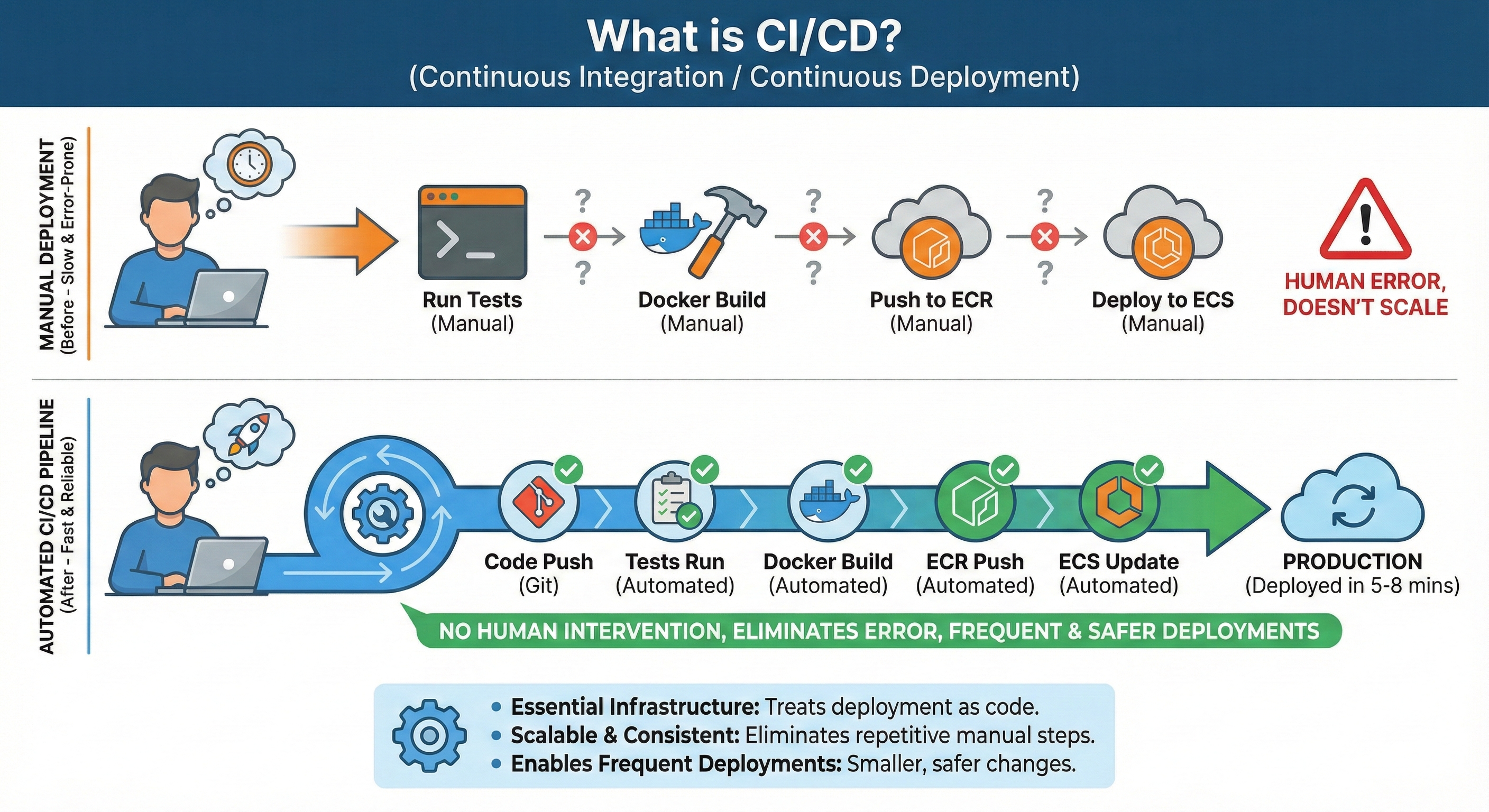
By the end of this chapter, you'll have implemented all three pillars. Your News API will deploy automatically on git push, provide real-time visibility into production health, and scale from 2 to 10 containers based on demand. This operational maturity separates developers who can deploy code from engineers who can operate systems reliably at scale.
Learning Objectives
What You'll Master in This Chapter
By the end of this chapter, you'll be able to:
- Build complete CI/CD pipelines with GitHub Actions that test, build, and deploy automatically on every
git push - Implement comprehensive production monitoring using CloudWatch with the Golden Signals framework: latency, traffic, errors, and saturation
- Configure auto-scaling policies that adjust container count dynamically based on CPU utilization and custom metrics
- Analyze AWS costs service-by-service and implement optimization strategies reducing monthly bills by 40-70%
- Deploy blue-green and canary deployment strategies for zero-downtime updates with instant rollback capability
- Debug production issues systematically using CloudWatch Logs Insights to query logs across all containers
- Implement security operations practices including container scanning, secrets rotation, and least-privilege access controls
- Discuss production operations confidently in technical interviews with concrete examples from your deployed News API