SQLite's architectural limit
SQLite is excellent software. It powers things like phone apps and browser history, and it is used in plenty of reliable systems. It is perfect for prototypes and single user apps because it is simple, fast, and runs from a single file.
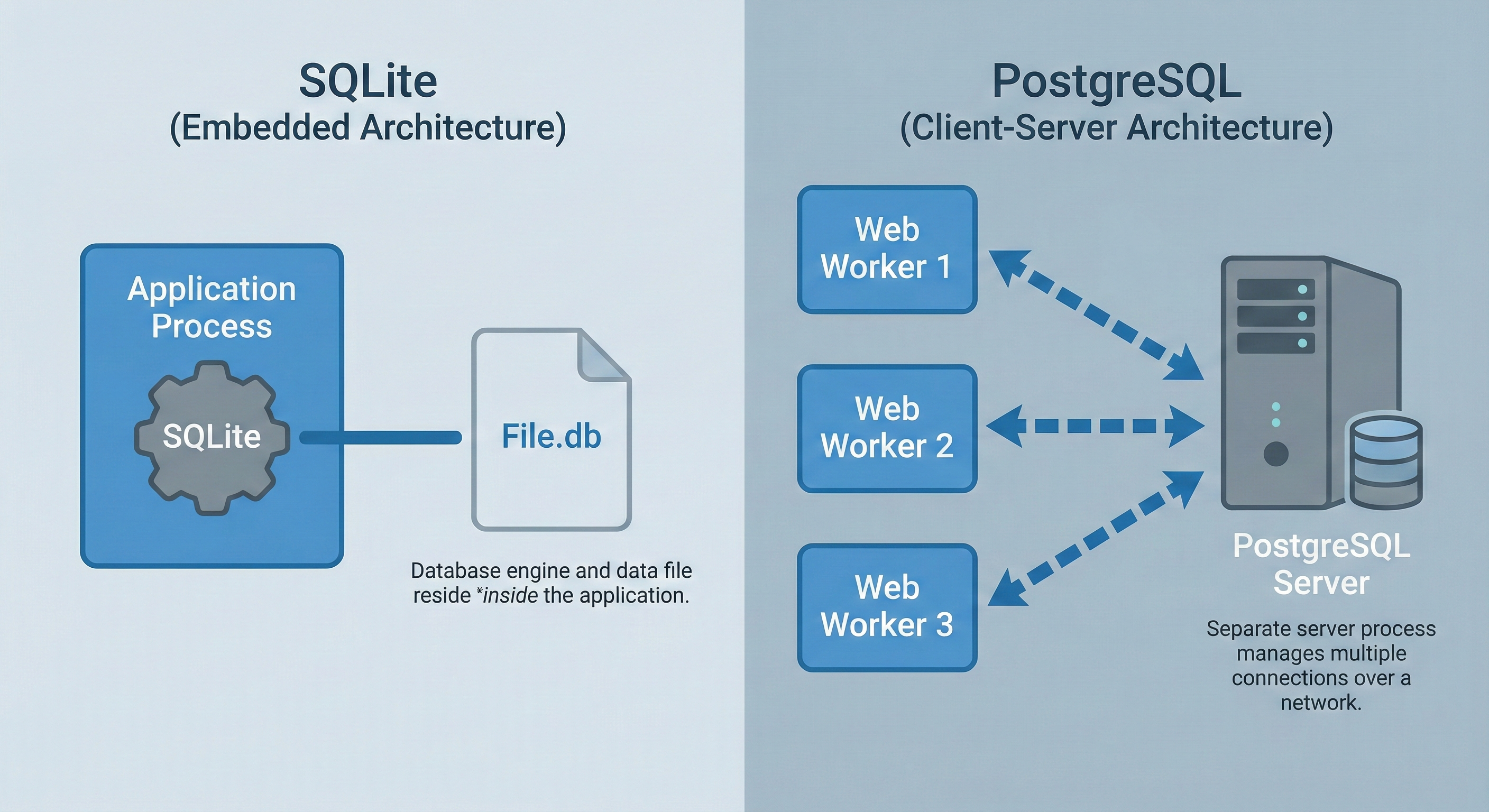
Then you deploy with three web workers and everything changes. Your app isn't one person writing to one file anymore. It's multiple processes trying to update the same database simultaneously. "Database is locked" errors start appearing. Users see failures. Things that worked locally become flaky in production.
The problem is simple: SQLite can handle many readers, but only one writer at a time. As soon as your app has real concurrency, writes start competing for the same lock.
The Solution: Client-Server Architecture
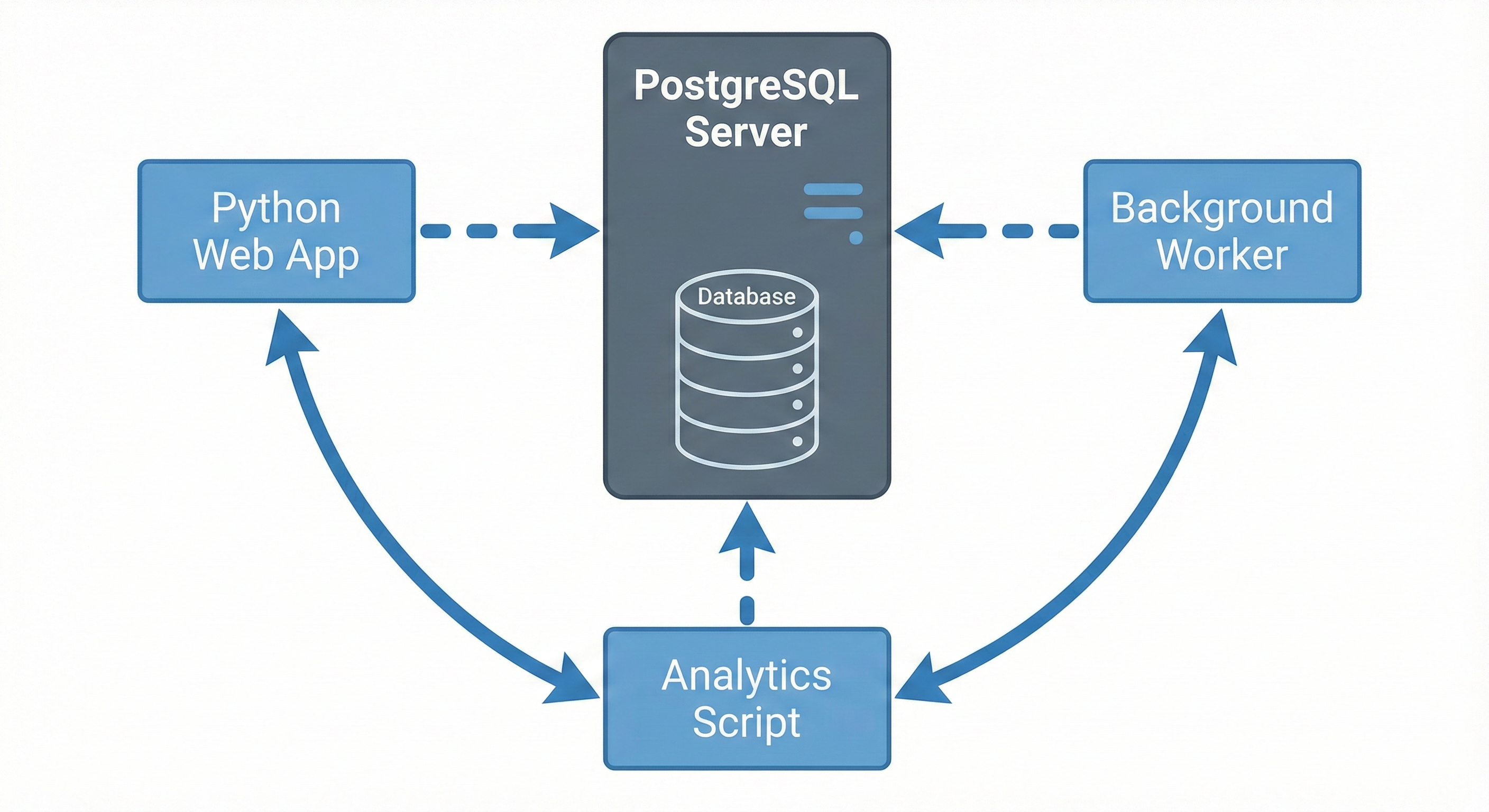
PostgreSQL solves this with client-server architecture. PostgreSQL runs as a separate server that coordinates access from multiple clients simultaneously. Your three workers connect over the network. The server handles concurrency internally. Write conflicts disappear. This chapter teaches you when to migrate and how to do it safely.
When to use each approach:
| Use SQLite when… | Use PostgreSQL when… |
|---|---|
| You have a single app or script on one machine. | You have multiple web workers, services, or machines. |
| You want the simplest possible setup: ship one file with your app. | You are happy to run a database server or use a managed Postgres service. |
| Your workload is mostly reads with modest writes. | You expect lots of concurrent writes or heavier queries. |
| You are prototyping, teaching, or building a small internal tool. | You are building a production web app or shared internal platform. |
| Only your app needs to touch the data. | Many tools and services should share the same database. |
When to Migrate
Migrate when you see any of these signals:
- Write concurrency errors - "database is locked" appearing in production logs
- Network access needed - database must live on a different server
- Team collaboration friction - multiple developers need direct database access
- Advanced features required - JSONB, full-text search, PostGIS
- Growing database size - approaching 100GB with performance degradation
Learning Objectives
By the end of this chapter, you'll be able to:
- Recognize when SQLite's architectural limits require migration to PostgreSQL.
- Set up PostgreSQL locally and connect from Python using psycopg2.
- Plan database migrations by analyzing schemas and mapping SQLite types to PostgreSQL.
- Write migration scripts that transfer data safely with zero data loss.
- Convert Python applications from sqlite3 to psycopg2 with connection pooling.
- Use Alembic to manage schema changes and automate migrations safely.
What You'll Accomplish
You'll migrate a production SQLite application to PostgreSQL using professional migration patterns. Four core capabilities:
Safe Migration Planning
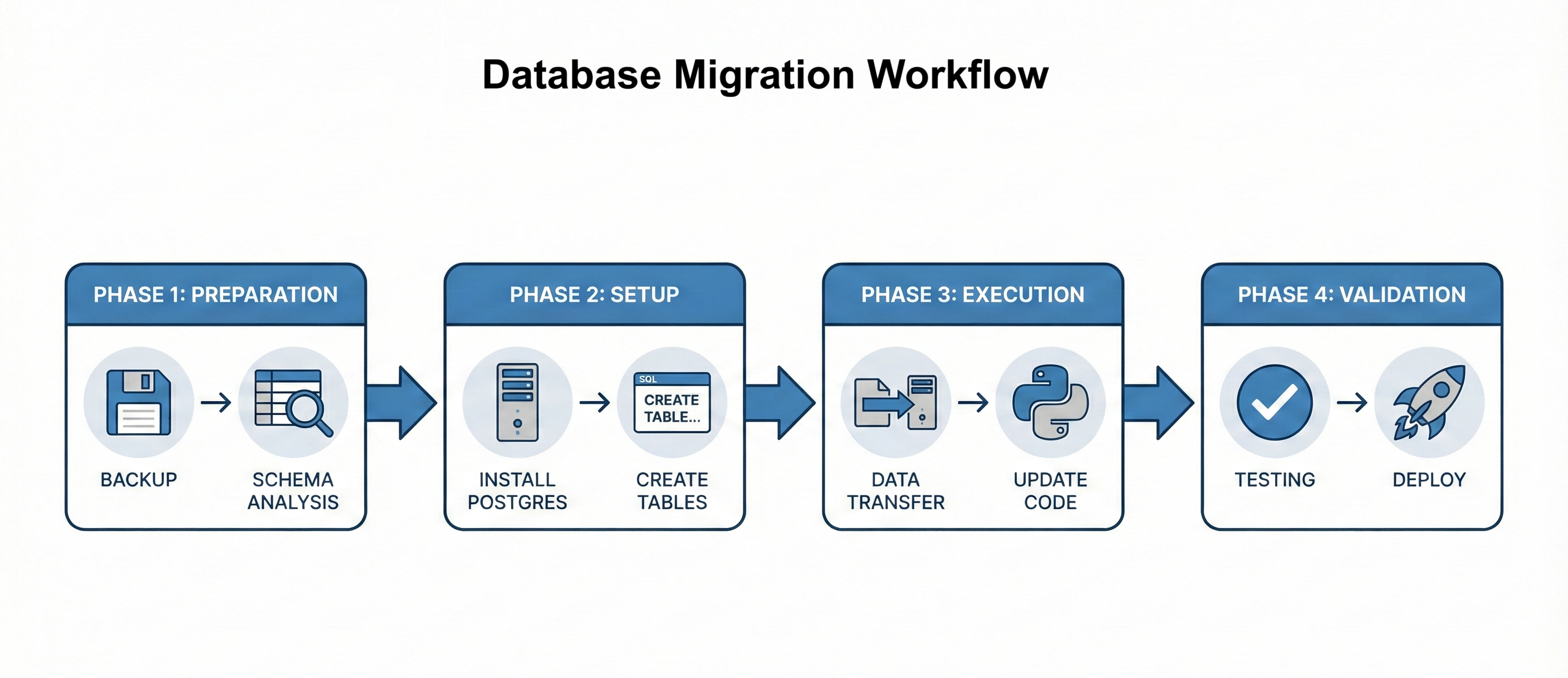
Follow the four-phase workflow: Preparation (backup and analyze), Setup (install PostgreSQL and create schema), Execution (migrate data and update code), Validation (test and deploy). Map SQLite types to PostgreSQL types correctly.
Zero-Data-Loss Execution
Write Python migration scripts with progress tracking, error handling, and row count verification. Handle type conversions, preserve foreign keys, and make migrations idempotent for safe reruns.
Application Code Migration
Convert from sqlite3 to psycopg2 by updating connection strings, converting placeholder syntax, adding explicit commits, and implementing connection pooling for production performance.
Schema Version Control with Alembic
Set up Alembic for automated schema migrations. Create version-controlled schema changes, coordinate across teams, and understand manual versus autogenerated migrations.
Migration skills prove you can handle production constraints. Junior developers build features. Mid-level engineers migrate systems without breaking them.